One Month. One Website.
Minimal Dev Support.
A designer's field notes on shipping SoloTex.com straight from Figma —
bugs, workarounds, and all.
4 min read

TL;DR
Is AI coming for designers' jobs, or can a designer use AI to replace an entire front-end sprint? We tested that theory with a real deadline and real stakes. Some parts of Figma Sites felt like magic. Others made me want to throw my laptop. Read on for the unfiltered version.
The beginning
Here's our situation: a startup with two designers (me included), five engineers, and a CTO – all heads-down building our trading platform and marketplace products. No one has bandwidth for a website refresh. But the deadline doesn't care about your headcount.
The website needed to ship. Engineers couldn't touch it. So I opened Figma Sites and figured it out myself.
I ended up delivering two websites – solotex.com and tx.org. This blog focuses on SoloTex, which went from responsive design to live URL in about a month. (tx.org took longer on the design side, different story for another day.)
Here's what that month actually looked like.
Why we couldn't do this the usual way
The typical website project at a company our size goes something like this: design for three to four weeks, hand off to a developer, wait for the build, go back and forth on what needs to be added or updated, QA it, fix it, ship it. That's a three-month cycle on a good day.
We didn't have three months. More importantly, we didn't have a front-end developer to spare. Every engineer was deep in marketplace features with the CTO. Asking them to context-switch to a marketing site would've been irresponsible.
So the question became: can a designer ship a production website with only minimal engineering support?
Turns out — yes. Almost entirely.
The actual workflow
Our lead designer had already crafted the desktop design months earlier. I took it from there, building out the responsive layouts with the Figma Sites output in mind from day one. That changes how you work. Auto layout on everything. Obsessive frame hierarchy. Breakpoints designed in parallel, not as an afterthought.
During the build, Figma Sites' preview mode was my go-to for checking responsive layouts and interactions in real time. Similar to Framer, you never need to leave the editor while working on the site design. That said, as the site got heavier with more animations and layered graphics, the preview started lagging noticeably. Loading times crept up, and sometimes I had to wait a while just to check a small change.
Once all the screens were ready, the publish button became our staging environment. One click, and the site was live on a .figma.site base domain for the whole team to review. No deployment pipeline. No waiting on builds. Just publish, check, adjust, repeat.
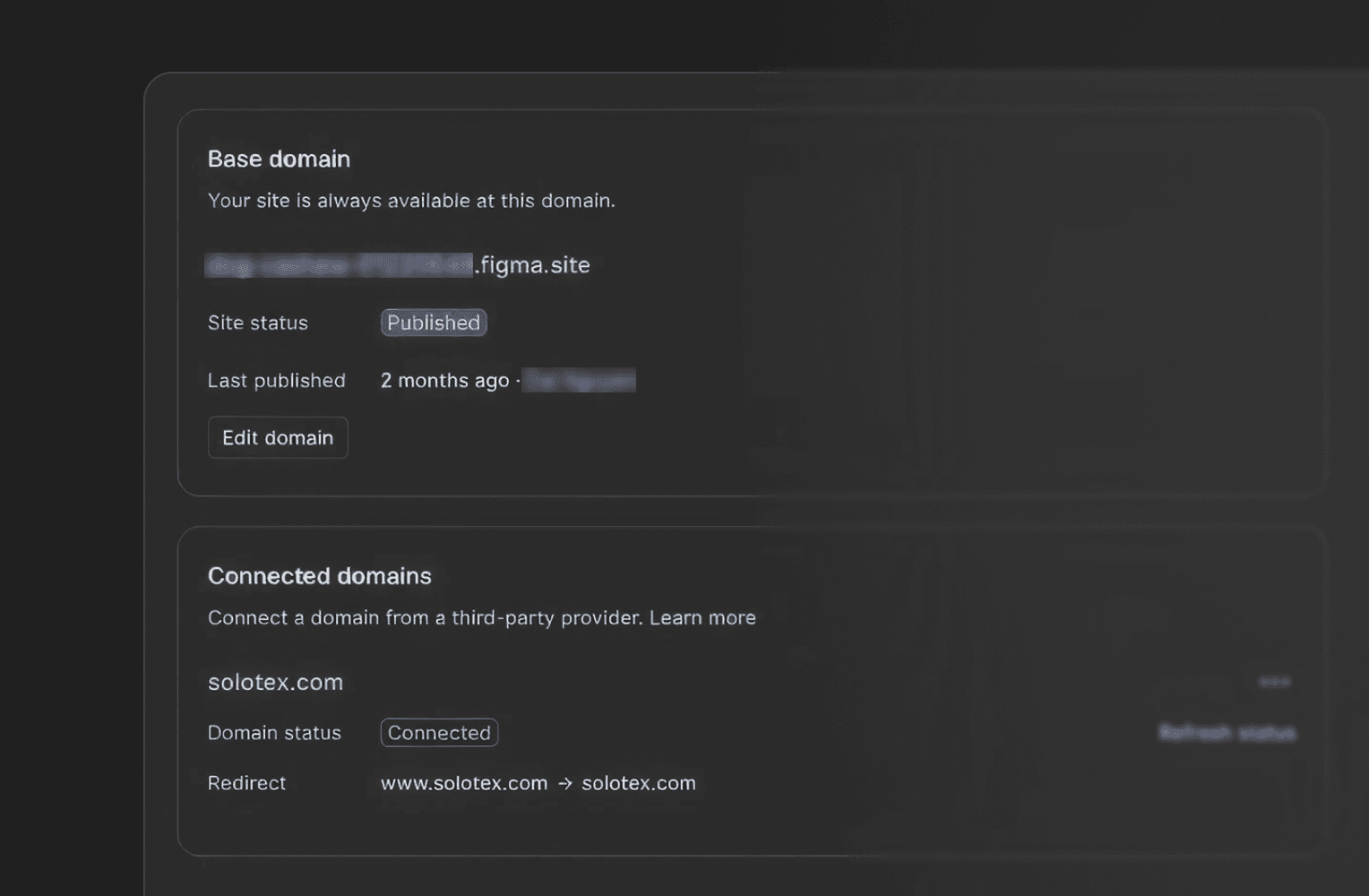
Our team used the link for internal reviews. The marketing manager, the QA, the CTO, everyone could see a real, functioning website from anywhere, on any device. In a traditional setup, just getting stakeholders access to a staging site is its own bottleneck.
We have our own domain for the final site, but honestly, the .figma.site staging workflow was one of the most freeing parts of the whole process. The feedback loop shrank from days to minutes.
Where the AI tools let me down
Let me be honest about the rough edges, because this wasn't all smooth sailing.
We wanted to go further than just a static site – to eliminate the developer handoff entirely. So I tested AI-powered tools like Weavely to generate a working "Contact Us" form that I could embed directly into the Figma Sites page via Code Layers.
The idea was great. The execution? Not so much.
After merging the generated code into a design frame on Figma Sites, things broke. The company logo showed up randomly inside the contact banner. A scrollbar appeared where it shouldn't have. The code and the design just didn't play nicely together.
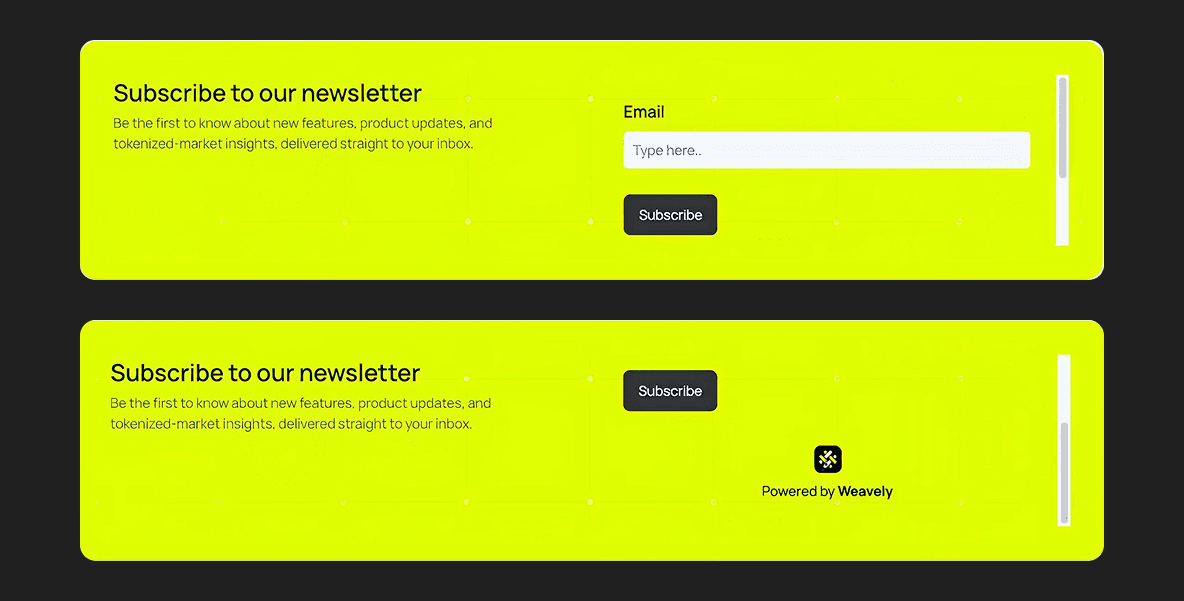
Screenshots showing the scrollbar bug on the banner
The built-in Figma Sites animations had a similar learning curve. The AI tools for generating interactions needed multiple attempts to get right. You'll prompt it, get something close, tweak it, re-prompt, and repeat until the timing and easing actually feel polished. It's not a one-shot workflow. Budget time for iteration.
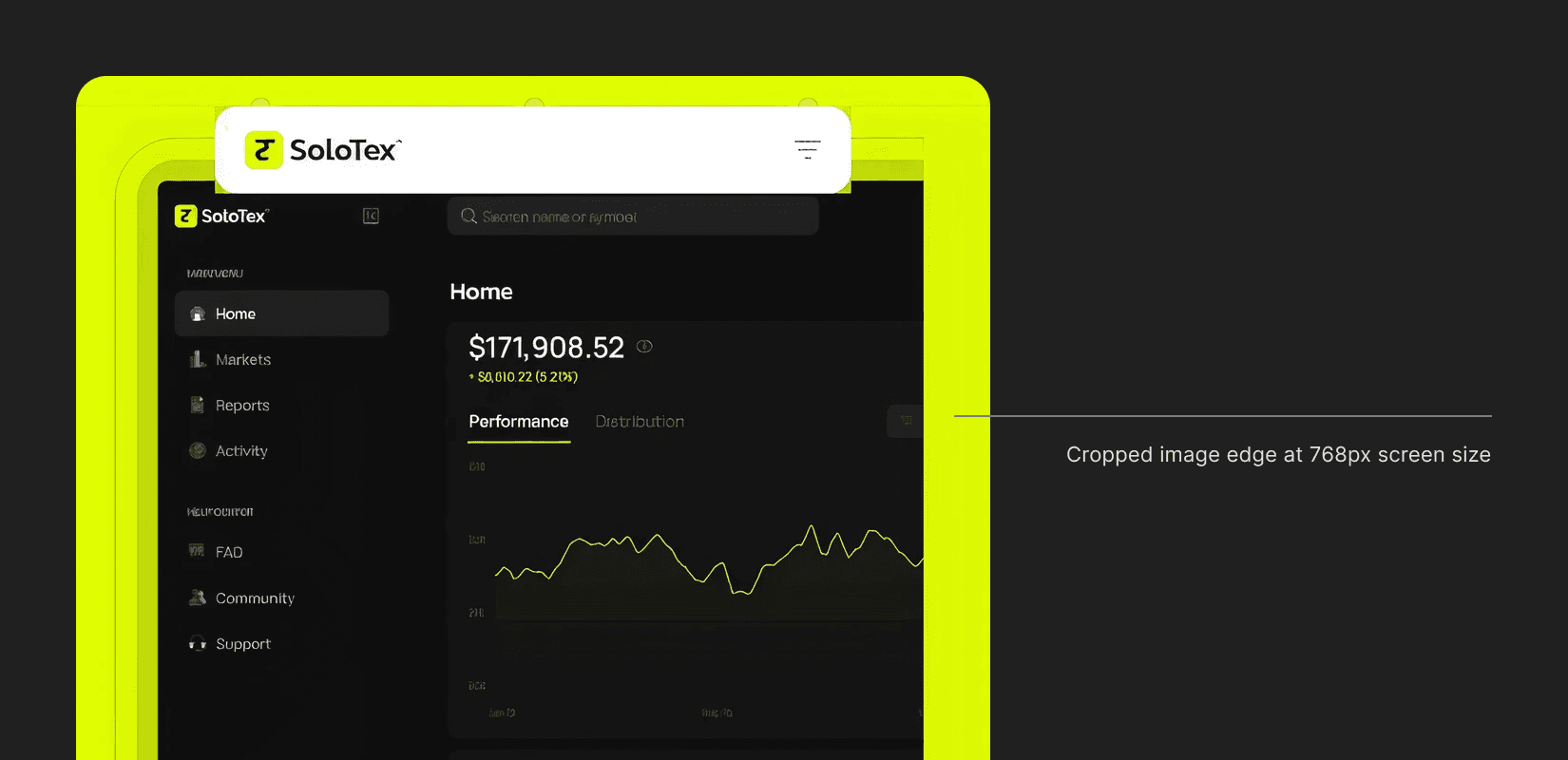
We also hit rendering issues with heavy, multi-layered graphics. Complex illustrations and layered vectors that looked fine in the Figma editor would break or glitch once published. The workaround? Export them as .jpeg or .png and paste the flat images back into the design frame. It solved the rendering problem, but created a new one.
Flat images don't play nicely with responsive layouts. At certain breakpoints, the images would crop awkwardly when resizing, and you lose the ability to fine-tune individual elements within the graphic. It's a trade-off: visual fidelity on desktop, or clean responsiveness across all screens. We spent more time than I'd like to admit wrestling with that balance.
For now, my takeaway is this: Figma Sites is incredible for the design-to-publish pipeline. But the moment you try to inject custom code like forms, third-party widgets, anything interactive beyond what's built in, expect friction. The seams between "design layer" and "code layer" are still rough.
What worked better than expected
Not everything was a battle. A few things genuinely impressed me.
Responsive previews that don't lie. Figma Sites shows you desktop, tablet, and mobile side by side. What you see is what you get. No "it looked fine in the mockup" arguments with developers – because there are no developers in the loop.
SEO and tracking out of the box. I was able to add Google Analytics ID and meta keywords directly through Figma Sites settings. For a marketing team that lives and dies by attribution data, this was huge, that alone saved us a few days of back-and-forth that would've happened in a traditional build.

Stakeholder reviews at the speed of design. Because the .figma.site link was always live, our CTO could review the actual site between meetings and standups. Comments came back the same day. I'd adjust and republish in fifteen minutes. We did more review cycles in one week than we'd normally do in a month.
The honest math
Traditional workflow for a site like SoloTex (based on past projects):
Design: 4 weeks
Dev handoff and build: 4–5 weeks
QA and revisions: 2 weeks
Stakeholder reviews: 2 weeks
Total: ~12 weeks
Figma Sites workflow:
Design and build (simultaneous): 2 weeks
Interactions, content, and iteration: 1 week
Review, polish, and publish: 1 week
Total: ~4 weeks
Three times faster. Not because we cut scope – because we cut the gaps between steps.
Who this is actually for
If you're a designer on a small team or startup like us, where engineering resources are precious and the website isn't the core product, Figma Sites is worth trying. It's not going to replace a full web application build. It's not ready for complex e-commerce or deep CMS workflows. The code integration story still needs work.
But for a marketing site, a product landing page, a company refresh? It lets a designer own the entire pipeline from first pixel to live URL. At a two-designer startup with no front-end to spare, that's not a nice-to-have. That's survival.
We shipped solotex.com in a month with mini a, dev support. No staging server. No three-month timeline. Just Figma, a publish button, and designers who ship.